Why Messaging Apps Are the Best Way to Use AI
Here's something most people overlook about AI assistants: the best AI is the one you actually use.
You probably open WhatsApp, Telegram, or Discord dozens of times a day. You already know how they work. You already have them on your phone. So why would you open a separate browser tab, navigate to a different website, and log into yet another service just to ask an AI a question?
The reality is that most people who sign up for ChatGPT or Claude's web interface use it enthusiastically for a week, then gradually forget about it. But when AI lives inside the app you already use? That changes everything. You text your AI assistant the same way you'd text a friend. Need a recipe while grocery shopping? Ask Claude in WhatsApp. Working through a problem at 11 PM? Fire off a message in Telegram. Need help with code while you're already in Discord? Just type.
This guide walks you through exactly how to get Claude AI running on WhatsApp, Telegram, and Discord. No coding, no terminal commands, no complicated API keys. Just your phone and about 60 seconds.
What Is Claude AI? A Quick Introduction
If you're new to AI assistants, Claude is an AI model built by Anthropic, a company founded by former members of OpenAI. Claude has earned a reputation for being particularly good at a few things:
- Nuanced, thoughtful responses that consider multiple angles
- Long-form writing that actually sounds natural, not robotic
- Careful reasoning through complex problems
- Honesty about uncertainty rather than making things up confidently
- Following detailed instructions precisely
Claude comes in several versions. The latest models offer a balance between capability and speed that makes them ideal for everyday conversations. For a deeper dive into how Claude compares to other AI models, check out our comparison of WhatsApp AI bots.
What sets Claude apart from options like ChatGPT or Google Gemini is its approach to safety and helpfulness. Claude tends to give more balanced, considered answers rather than just telling you what you want to hear. It's also notably better at admitting when it doesn't know something instead of fabricating an answer.
How to Get Claude AI on WhatsApp
Getting Claude on WhatsApp is surprisingly simple with Molt Cloud. Here's the step-by-step process:
Step 1: Create your Molt Cloud account
Head to dash.molt-cloud.com and sign up. You just need an email address. No credit card is required, and you get 50 free messages to try everything out.
Step 2: Choose WhatsApp as your platform
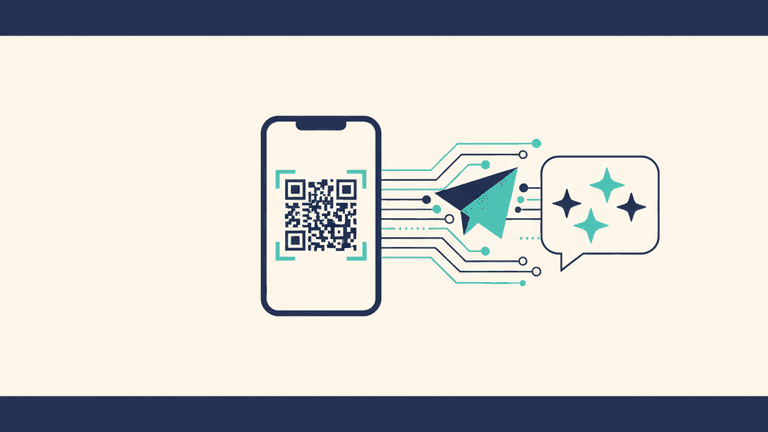
Once you're in the dashboard, select WhatsApp as the messaging platform you want to connect. The dashboard will generate a unique QR code for your connection.
Step 3: Scan the QR code
Open WhatsApp on your phone, go to the chat screen, and scan the QR code displayed on your dashboard. This links your WhatsApp to your personal Claude instance.
Step 4: Start chatting
That's it. Send a message to your new Claude contact on WhatsApp and you'll get a response from Claude AI. Your first 50 messages are free.
A few things worth knowing:
- Your instance is private. Your Claude assistant is isolated from other users. Nobody else can see your conversations.
- Conversations have context. Claude remembers what you've talked about within a conversation, so you can have natural back-and-forth discussions.
- It works on any device. Since it's WhatsApp, you can chat from your phone, tablet, or WhatsApp Web on your computer.
How to Get Claude AI on Telegram
Telegram users follow a nearly identical process:
Step 1: Sign up at dash.molt-cloud.com (or log in if you already have an account).
Step 2: Select Telegram as your preferred messaging platform in the dashboard.
Try Claude AI on WhatsApp — Free
Get 50 free messages. No credit card required. Deploy in 60 seconds.
Step 3: You'll receive a link to your personal Claude bot on Telegram. Tap it to open the chat.
Step 4: Send your first message. Claude is ready to go.
Telegram has some nice advantages for AI chat. The platform supports longer messages than WhatsApp, which means Claude can give you more detailed responses without getting cut off. Telegram's cloud-based architecture also means your conversation history syncs seamlessly across all your devices.
Telegram users also benefit from markdown formatting in Claude's responses. When Claude writes code blocks, lists, or bold text, Telegram renders them beautifully. This makes it especially useful for technical conversations.
How to Get Claude AI on Discord
Discord is the third platform supported by Molt Cloud, and it's a great fit for people who already spend time in Discord communities:
Step 1: Create your account at dash.molt-cloud.com.
Step 2: Select Discord as your platform in the Molt Cloud dashboard.
Step 3: You'll get an invite link to add your personal Claude bot to your Discord server or DMs.
Step 4: Start a conversation with Claude in a DM or a designated channel.
Discord is particularly well-suited for team and community use. You can add your Claude bot to a shared server where multiple people can interact with it. This is great for study groups, small teams, or friend groups who want a shared AI assistant.
One thing to note: if you use Claude in a shared Discord channel, other members of that channel can see the conversation. For private conversations, use Discord DMs with your Claude bot.
What Can You Do with Claude on Messaging Apps?
Once Claude is on your messaging app, the possibilities are wide open. Here are some of the most popular use cases people find:
1. Quick research and fact-checking. Texting with friends about whether a movie fact is true? Just ask Claude in the same app. No tab-switching required.
2. Writing help on the go. Draft emails, polish messages, or brainstorm ideas from your phone. Send Claude a rough thought, get back a polished version.
3. Language translation and practice. Traveling or learning a new language? Claude handles translation naturally in a chat format. Ask it to explain grammar, translate phrases, or even have a practice conversation in your target language.
4. Coding assistance. Especially useful on Discord and Telegram where code formatting is supported. Share a snippet, describe a bug, and get suggestions right in your chat.
5. Study and learning. Ask Claude to explain complex topics in simple terms, quiz you on material, or summarize long articles. It's like having a tutor who's available 24/7.
6. Daily planning and productivity. Start your morning by asking Claude to help organize your day. Share your to-do list and let it help you prioritize. For more ideas, check out our guide to practical AI assistant use cases.
7. Creative brainstorming. Need gift ideas, project names, meal plans, or travel itineraries? Claude excels at generating options and refining them based on your feedback.
The key advantage of having Claude on a messaging app is spontaneity. You don't have to plan to use AI. It's just there, in the flow of your day, whenever you need it.
Privacy and Security: Is It Safe?
This is the question everyone should ask before putting an AI assistant in their messaging app, and unfortunately, most people don't.
When you use Claude through Molt Cloud on WhatsApp, Telegram, or Discord, here's what happens with your data:
- Encrypted connections. Your messages travel over encrypted channels between your messaging app and your Claude instance.
- Isolated instances. Each user gets their own separate Claude instance. Your conversations aren't mixed with other users' data.
- No training on your data. Your messages are not used to train AI models. Your conversations stay your conversations.
- No third-party sharing. Your data isn't sold or shared with advertisers, data brokers, or anyone else.
This is a significant difference from some alternatives. Meta AI on WhatsApp, for example, is built by the same company that runs Facebook and Instagram's advertising business. When you use Meta AI, your interactions may inform Meta's broader AI training and product development.
For a deeper dive into AI privacy, read our complete guide to private AI assistants.
Claude vs Other AI Bots on Messaging Apps
Here's a quick comparison of the main options for AI on messaging platforms:
| Feature | Meta AI (WhatsApp) | ChatGPT (via third-party) | Claude (via Molt Cloud) |
|---|---|---|---|
| Platforms | WhatsApp, Instagram | WhatsApp (unofficial) | WhatsApp, Telegram, Discord |
| Setup difficulty | Built-in | Moderate | Easy (QR code scan) |
| Cost | Free | Varies ($5-20/mo) | From $10/mo (50 free msgs) |
| Privacy | Meta data policies apply | Varies by provider | Encrypted, isolated, no training |
| Response quality | Good for simple tasks | Strong general purpose | Strong reasoning and writing |
| Data used for training | Likely yes | Depends on provider | No |
| Custom instructions | Limited | Varies | Via dashboard |
| Multi-platform | Meta apps only | Usually single platform | WhatsApp + Telegram + Discord |
The right choice depends on your priorities. If you want free and don't care about privacy, Meta AI works. If you want the best combination of quality, privacy, and convenience, Claude through Molt Cloud gives you the strongest package.
Tips for Getting the Most Out of Claude on Messaging Apps
A few practical tips from our users:
Be specific. Instead of "help me with my email," try "I need to write a professional but friendly email declining a meeting invitation for next Tuesday. The person is my direct manager."
Use follow-ups. Claude remembers context within a conversation. Start with a broad question, then drill down. "Tell me about Tokyo" followed by "What neighborhoods are best for first-time visitors on a budget?" gets you more useful answers than one long question.
Share context early. If you're working on a specific project, give Claude background at the start. "I'm a freelance graphic designer trying to write better proposals for corporate clients" helps Claude tailor every response.
Don't hesitate to start over. If a conversation goes in the wrong direction, just start fresh. Sometimes a clean slate with a better initial prompt gives you much better results.
Conclusion
Getting Claude AI on your messaging apps isn't just a novelty. It's genuinely the most practical way to use AI for most people. You already spend hours in WhatsApp, Telegram, or Discord. Having a capable AI assistant right there means you'll actually use it when those moments come up: the quick question, the draft that needs polishing, the idea you want to explore.
The setup takes less than a minute, you get 50 free messages to see if it fits your life, and there's no credit card required to start. If you've been curious about AI but haven't found a way to make it stick, this might be the approach that finally clicks.
Get Claude on Your WhatsApp in 60 Seconds
Start chatting with Claude AI on WhatsApp, Telegram, or Discord. 50 free messages, no credit card required.
Try Free — 50 Messages