Millions of Users Lost Their AI Assistant Overnight
If you woke up on January 16, 2026, and your AI chatbot on WhatsApp suddenly stopped responding, you weren't alone. Millions of people around the world experienced the same thing. No warning. No transition period. Just silence where there used to be an AI assistant.
On January 15, 2026, Meta enforced an updated terms of service for WhatsApp's Business API that effectively banned every third-party general-purpose AI chatbot from the platform. ChatGPT integrations, Perplexity, Microsoft Copilot, Luzia, WappGPT, MobileGPT, Shmooz AI — all of them were cut off within hours.
For casual users, it was an inconvenience. For people who had built AI into their daily routines — students relying on homework help, professionals using it for quick research, families using it to plan and organize — it felt like someone unplugged a tool they depended on.
This article breaks down exactly what happened, why Meta did it, what the EU is doing about it, and most importantly, what still works if you want AI on WhatsApp in 2026.
What Exactly Happened: A Timeline
The ban didn't come completely out of nowhere, though it certainly felt that way to most users. Here's the sequence of events:
November 2025: Meta quietly updated the WhatsApp Business API terms of service, adding a clause prohibiting "third-party general-purpose AI conversational agents" from operating through the API. The updated terms were buried in a routine policy update and received little media attention.
December 2025: Meta sent private notices to companies operating AI chatbots on the Business API, informing them they had until January 15 to wind down their services or face permanent API revocation. Some companies, including Perplexity and Luzia, publicly acknowledged receiving the notices. Others stayed silent.
January 15, 2026: Meta revoked Business API access for all identified third-party AI chatbot services. Any chatbot that didn't voluntarily shut down was forcibly disconnected. Users attempting to message these bots received either no response or a generic error message.
January 16-20, 2026: The tech press caught on. Reports flooded in from users across Europe, Latin America, Southeast Asia, and Africa — regions where WhatsApp is the dominant messaging platform and where third-party AI bots had seen massive adoption.
Which Bots Were Removed?
The ban hit every major third-party AI integration on WhatsApp:
- ChatGPT integrations — Both OpenAI's brief official WhatsApp experiment and all third-party bridges like WappGPT and MobileGPT
- Perplexity AI — Had been one of the most popular AI bots on WhatsApp, particularly in India and Brazil
- Microsoft Copilot — Microsoft's AI assistant had a growing WhatsApp presence
- Luzia — Extremely popular in Spain and Latin America, with millions of WhatsApp users
- Shmooz AI, Buddy AI, and dozens of smaller services — The long tail of AI-on-WhatsApp startups were all wiped out in a single day
The only AI assistant left standing on WhatsApp? Meta AI. Meta's own built-in assistant, powered by their Llama model family, was conveniently exempt from the ban it created.
Why Meta Did This
Meta offered a public explanation that emphasized "user safety" and "platform integrity." The official line was that third-party AI bots posed risks around misinformation, data handling, and inconsistent user experiences. Meta argued that by controlling the AI experience on WhatsApp, it could ensure higher quality and safer interactions.
That's the public story. The actual motivations are more straightforward.
Pushing Meta AI as the Default
Meta has invested billions in its AI efforts. Meta AI is embedded across WhatsApp, Instagram, and Facebook. But adoption has been slower than Meta hoped, particularly in markets where third-party AI bots had already established strong user bases. Why would someone use Meta AI when they already had ChatGPT or Perplexity on the same platform?
By removing the competition, Meta ensures that its own AI is the only game in town — at least within the WhatsApp Business API ecosystem.
Controlling the Ecosystem
WhatsApp's Business API is Meta's revenue engine for the platform. Businesses pay to send messages, run customer service, and manage communications through the API. Third-party AI bots were essentially freeloading on this infrastructure — using the API to deliver a service that competed with Meta's own product, without contributing to Meta's bottom line.
From a pure business perspective, allowing competitors to use your infrastructure to outcompete you is not sustainable. Meta decided to close that door.
Data and Advertising Strategy
Meta's long-term AI strategy involves using AI interactions to better understand user behavior, preferences, and intent. Every conversation with Meta AI is data that feeds Meta's advertising and product ecosystem. Third-party AI bots were intercepting those conversations and routing the data elsewhere — to OpenAI, to Anthropic, to smaller startups. For a company whose entire business model depends on data, that's an existential concern.
The EU Antitrust Investigation
Meta's move did not go unnoticed by regulators. In late January 2026, the European Commission opened a formal antitrust investigation into Meta's decision to ban third-party AI chatbots from WhatsApp.
The EU's concern centers on a familiar pattern: a dominant platform using its market position to favor its own services over competitors. WhatsApp has over 2 billion users globally and is the primary messaging platform in most EU member states. The argument is that banning third-party AI bots while promoting Meta AI constitutes anti-competitive self-preferencing — the same kind of behavior that has previously resulted in multi-billion euro fines against Google and Apple in Europe.
The investigation is expected to take 12-18 months. In the meantime, the ban remains in effect. If the EU rules against Meta, potential outcomes include:
- Forced reopening of the Business API to third-party AI services
- Structural remedies requiring Meta to treat its own AI the same as competitors
- Significant financial penalties
But 12-18 months is a long time to wait if you need AI on WhatsApp today.
Try Claude AI on WhatsApp — Free
Get 50 free messages. No credit card required. Deploy in 60 seconds.
What Still Works: Business API vs. Linked Devices
Here's where things get important. The ban specifically targets the WhatsApp Business API. To understand why some services are unaffected, you need to understand the two fundamentally different ways software can connect to WhatsApp.
The Business API (Banned for AI Bots)
The WhatsApp Business API is Meta's official commercial interface. It's designed for businesses to send notifications, run customer service chatbots, and manage high-volume communications. Companies apply for access, get approved by Meta, and operate under Meta's terms of service.
This is the pathway that ChatGPT, Perplexity, Luzia, and the others used. And this is the pathway that Meta shut down for third-party AI on January 15.
When you used these services, you were essentially messaging a business account. The AI was running on the provider's servers, receiving your messages through the Business API, generating a response, and sending it back through the same API. Meta controlled the entire pipeline and could shut off access at any time — which is exactly what they did.
Linked Devices (Not Affected by the Ban)
WhatsApp's Linked Devices feature is the protocol that powers WhatsApp Web, WhatsApp Desktop, and multi-device support. When you scan a QR code to use WhatsApp on your computer, you're using Linked Devices. It creates an authenticated connection to your existing WhatsApp account.
This is completely different from the Business API. Linked Devices doesn't create a new business account. It doesn't go through Meta's commercial infrastructure. It connects to your personal WhatsApp account the same way a second phone or a desktop browser would.
The critical distinction: Meta's ban applies to the Business API terms of service. Linked Devices operates under WhatsApp's standard user terms, which have no restrictions on AI assistants. This isn't a loophole — it's a fundamentally different technology pathway that was never part of the ban.
| Business API (Banned) | Linked Devices (Unaffected) | |
|---|---|---|
| How it connects | Commercial API application | QR code scan |
| Account type | Business account | Your personal account |
| Controlled by | Meta's commercial terms | WhatsApp's standard user terms |
| Status after Jan 15 | Blocked for AI bots | Works normally |
| Examples | ChatGPT, Perplexity, Luzia | Molt Cloud, WhatsApp Web |
How Molt Cloud Is Unaffected
Molt Cloud has always used WhatsApp's Linked Devices protocol. When you set up Molt Cloud, you scan a QR code — exactly the same process as setting up WhatsApp Web on a new computer. Your Molt Cloud instance connects as a linked device on your personal WhatsApp account.
This means:
- No Business API dependency. Molt Cloud never used the Business API, so the ban has zero technical impact on the service.
- No business account involved. You're not messaging a bot. Your Claude AI assistant operates through your own WhatsApp account.
- No risk of Meta shutting it off via API revocation. Since there's no API key to revoke, Meta cannot flip a switch and disconnect you.
- Same connection method as WhatsApp Web. If WhatsApp Web works, Molt Cloud works. Meta would have to shut down Linked Devices entirely — breaking WhatsApp Web, Desktop, and multi-device support for 2 billion users — to affect this approach.
This architectural decision was made long before the ban, but it turned out to be prescient. While services built on the Business API were wiped out overnight, Molt Cloud users didn't notice any change at all.
For a deeper look at how this setup works and how it compares to other approaches, check out our guide to using Claude AI on WhatsApp, Telegram, and Discord.
What This Means for WhatsApp AI Going Forward
The ban has reshaped the WhatsApp AI landscape in a few important ways.
Meta AI Is Now the Default — But That Has Limitations
With third-party bots gone from the Business API, Meta AI is the most visible AI option on WhatsApp. It's free, it's built in, and for simple questions it works fine. But as we've covered in our comparison, Meta AI has real limitations:
- Response quality is shallow compared to Claude or GPT-4
- Privacy practices are governed by Meta's broad data policy
- Your conversations are processed within Meta's advertising ecosystem
- No cross-platform portability — it only exists inside Meta's apps
- Limited context retention in longer conversations
For users who just want to ask the occasional trivia question, Meta AI is adequate. For anyone who relies on AI for substantive work — writing, research, analysis, study, professional tasks — the quality gap is significant.
The Market for Alternatives Is Massive
The ban displaced millions of active users who had been using third-party AI bots daily. These people didn't stop wanting AI on WhatsApp; they just lost access to their preferred tool. The search volume for "WhatsApp AI bot alternative" and "AI for WhatsApp after ban" spiked dramatically in the weeks following January 15.
This is the reality: demand for capable AI on WhatsApp didn't disappear because Meta banned the supply. It just shifted to solutions that don't depend on the Business API.
Linked Devices-Based Services Are the New Path
The ban has clarified something that was already becoming apparent: building on a platform's commercial API means building on borrowed ground. The platform can change the rules at any time. Services that connect through Linked Devices — which operate under the standard user agreement — have a more durable foundation.
This doesn't mean Linked Devices-based services are immune to any future changes. But shutting them down would require Meta to fundamentally alter how WhatsApp's multi-device support works, which would affect every WhatsApp Web and Desktop user on the planet. That's a very different calculus than flipping a switch on a Business API policy.
How to Get AI on WhatsApp After the Ban
If you've lost your AI assistant and want one back, here's how to get set up with Claude AI through Molt Cloud. The entire process takes about 60 seconds.
Step 1: Create a free account. Go to dash.molt-cloud.com/register. Enter your email and create an account. No credit card required — you get 50 free messages to try everything out.
Step 2: Choose WhatsApp as your platform. In the Molt Cloud dashboard, select WhatsApp. You can also set up Telegram or Discord at the same time if you want AI on multiple platforms. For a walkthrough of all three platforms, see our full setup guide.
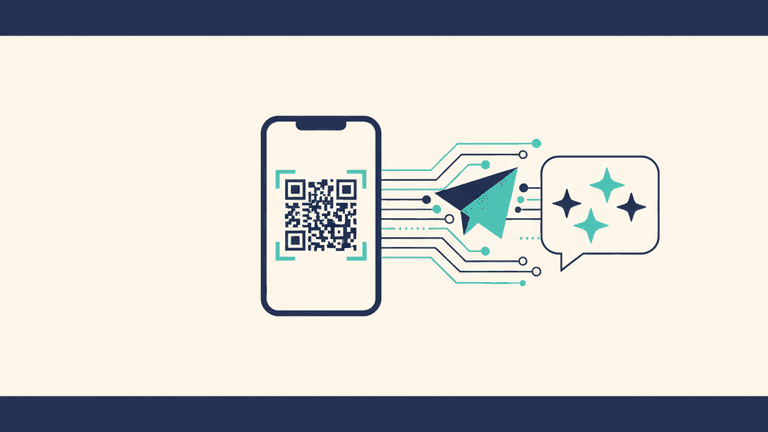
Step 3: Scan the QR code. The dashboard will show you a QR code. Open WhatsApp on your phone, go to Linked Devices (Settings > Linked Devices), and scan the code. This is the exact same process as setting up WhatsApp Web.
Step 4: Start chatting. That's it. You now have Claude AI on your WhatsApp. Send a message and get a response. Your AI assistant works in individual chats and can be added to group chats.
Pricing
Molt Cloud has three straightforward plans:
- Starter — $10/month: Bring your own Anthropic API key (BYOK). Best for developers or users who already have an API key.
- Easy — $20/month: Includes 100,000 tokens (roughly 2,000+ messages). No API key needed. Best for most users.
- Pro — $35/month: Higher token limits and priority support. Best for heavy users and professionals.
All plans include WhatsApp, Telegram, and Discord support. All plans include private, isolated instances where your conversations are never used for AI training.
Why Claude Specifically?
You might be wondering why Molt Cloud uses Claude rather than GPT-4 or another model. The short answer: Claude is consistently the strongest model for conversational quality, nuanced reasoning, and honest responses. It's particularly good at understanding complex questions, providing balanced perspectives, and admitting when it's uncertain rather than making things up confidently.
For a deep dive on why this matters, read our guide to private AI assistants which covers model quality, privacy architecture, and what to look for in an AI service.
The Bigger Picture
Meta's WhatsApp AI bot ban is part of a broader trend in tech: platforms consolidating control over the AI experience within their ecosystems. Apple is doing it with Apple Intelligence. Google is doing it with Gemini across its products. Meta is doing it with Meta AI across WhatsApp, Instagram, and Facebook.
The pattern is the same every time. Open the platform to third-party innovation, let others prove the market, then close the gates and replace them with a first-party product.
For users, the lesson is clear: if your AI access depends on a single platform's commercial API, you're one policy change away from losing it. The more durable approach is to use services that connect through standard protocols — like Linked Devices — rather than commercial gateways that the platform can revoke at will.
The EU investigation may eventually force Meta to reopen the Business API to third-party AI. But regulatory processes move slowly, and there's no guarantee of the outcome. In the meantime, the practical question isn't whether the ban was fair. It's what you're going to do about it.
AI on WhatsApp isn't gone. The path to it just changed.
AI on WhatsApp Still Works. We'll Prove It.
Molt Cloud uses Linked Devices, not the Business API. The ban doesn't affect us. Get Claude AI on WhatsApp in 60 seconds — 50 free messages, no credit card.
Try Free — 50 Messages